
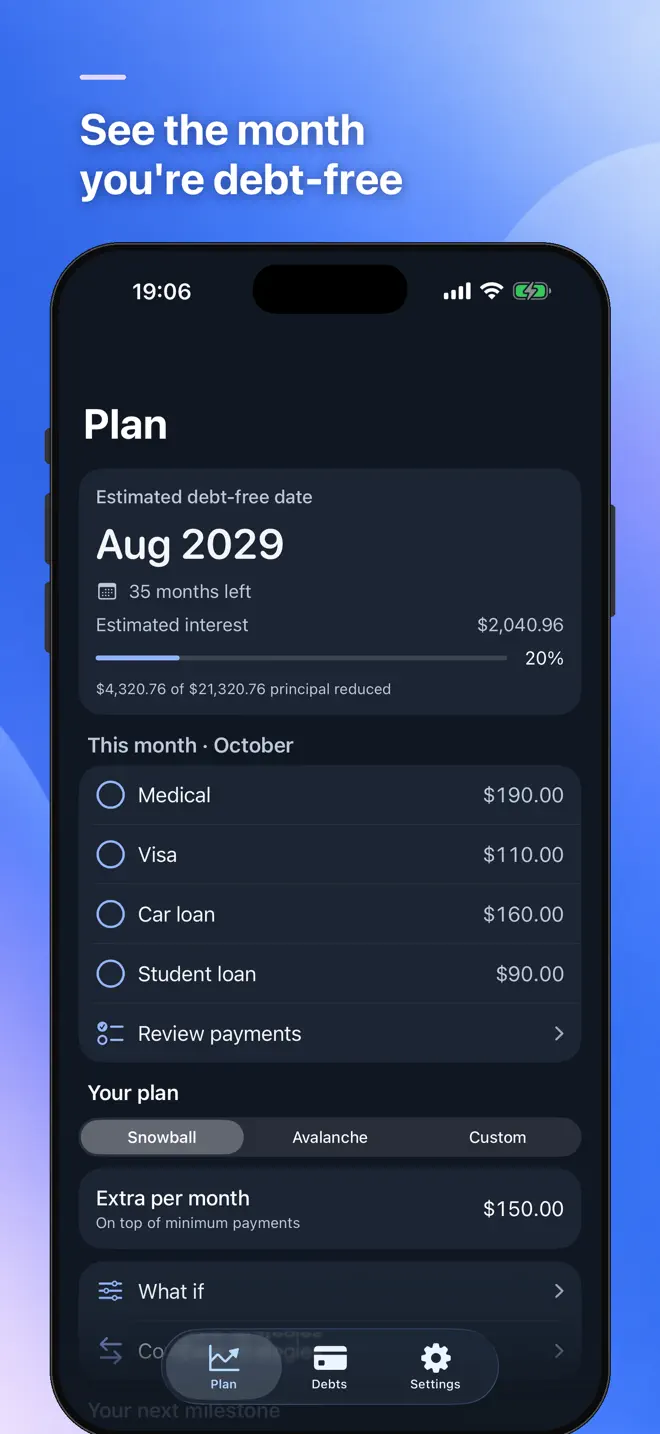
See the month you will be debt-free.
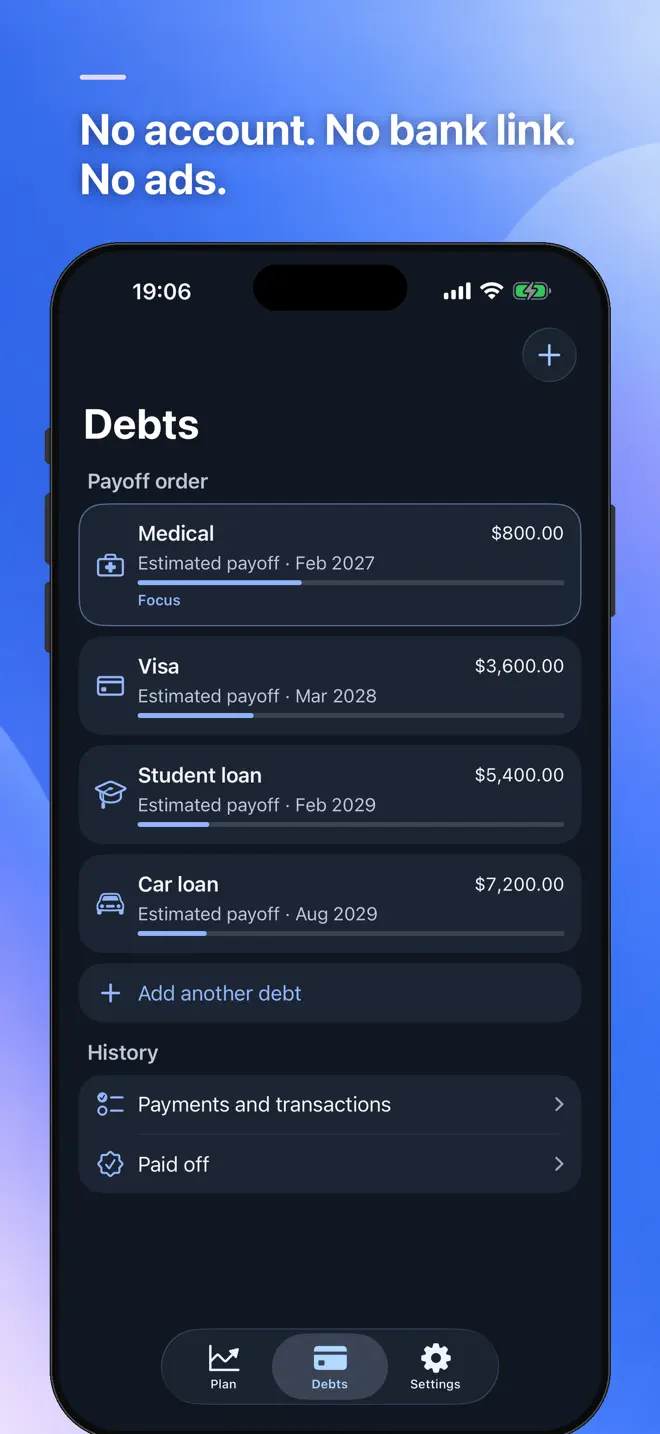
Enter your debts once — credit cards, car loans, student loans, buy now pay later, medical bills. Pick snowball or avalanche, add what extra you can pay, and watch the payoff date move before you decide anything.
iPhone and Android · No bank connection · No account, no ads
What it does
A plan you can check
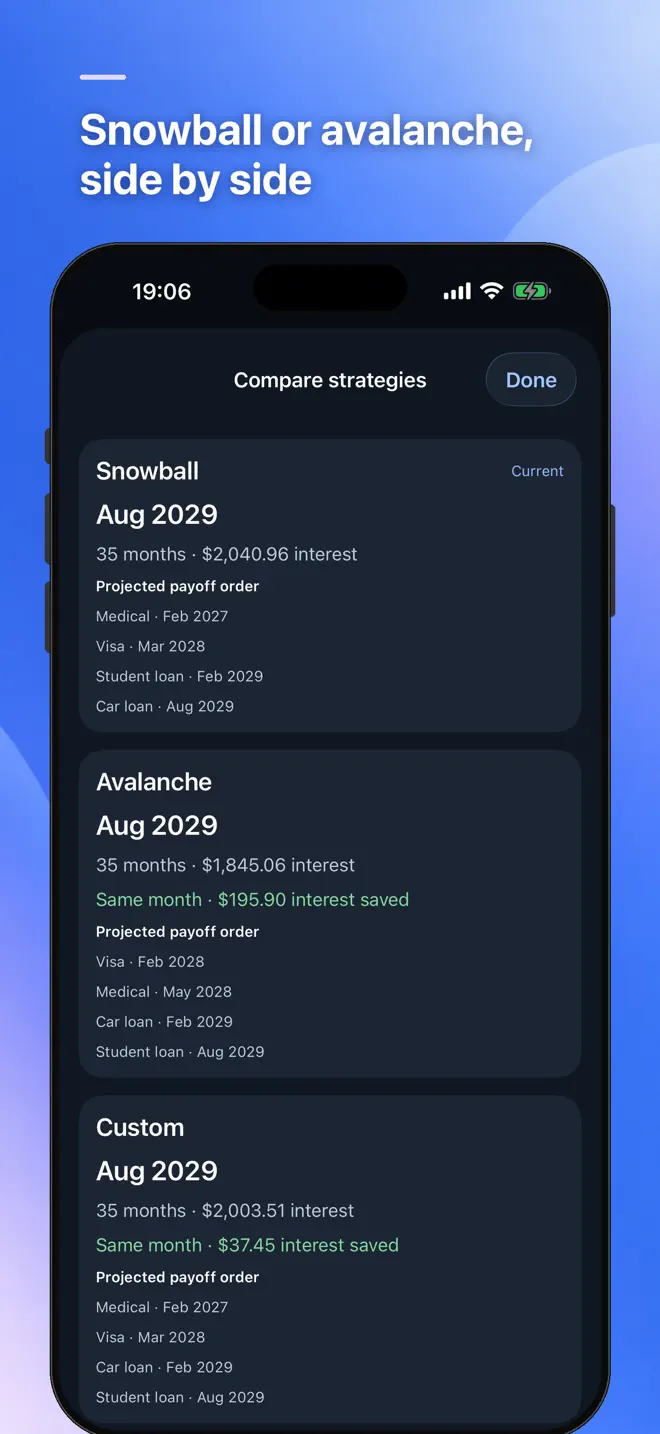
Snowball, avalanche or your own order
Compare all three side by side: payoff date, total interest, and the difference between them.
A schedule for every debt
Month by month, with interest and principal split out, down to the last payment.
0% promotional rates
Enter the promo with its end date. The plan switches to the regular rate when it ends.
Try it before you commit
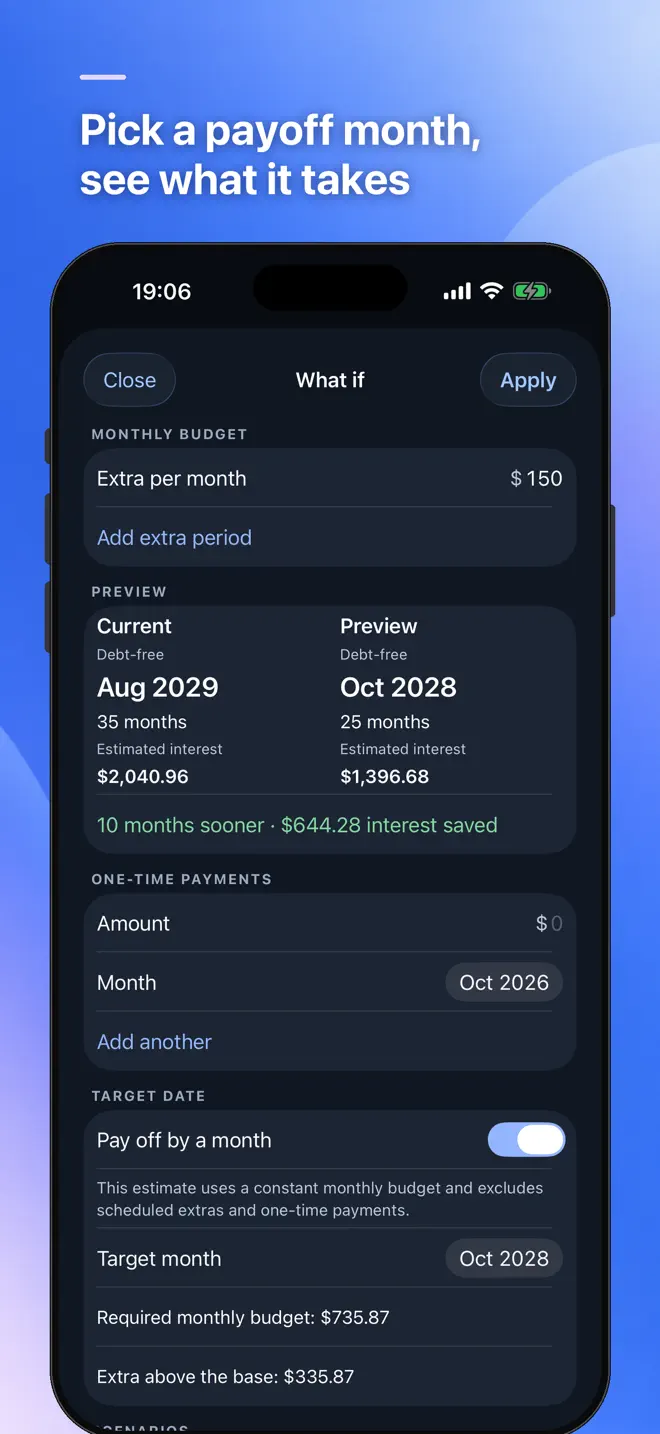
Add an extra amount per month or a one-time payment and see how many months sooner you finish and how much interest you save.
Track what you actually paid
Tick the payments you made each month. The plan recalculates from your real balances, and a paid-off debt's minimum rolls into the next one.
The math, written out
The formulas are shown in How the math works, so you can check any number against your own spreadsheet.
How it works
Watch the date move
Add your debts
Balance, APR, minimum payment and due day — or import them from a CSV.
Pick a strategy
And an extra amount, if you have one. Pick a target month and get the budget that reaches it.
Tick off each month
Reminders on due days, and charts of the plan against what really happened.
Your data
Your balances stay on your phone
- No account. No bank connection. No ads.
- Lock the app with Face ID or your passcode, and hide every amount with one switch.
- Notifications never show amounts.
- Back up to a file you keep and restore it on a new phone.
- Export the schedule as a PDF, or your debts and payments as CSV.
Zero Owed is a planning tool. It estimates with a monthly interest model; your lender may calculate daily, so your statement can differ slightly.
Questions
Before you download
What is the difference between snowball and avalanche?
Snowball pays the smallest balance first; avalanche pays the highest interest rate first. Zero Owed shows both, plus your own order, side by side with payoff date and total interest.
Does Zero Owed connect to my bank or credit cards?
No. There is no bank connection and no account. You enter balances, rates and payments yourself.
Can I see what extra payments would do?
Yes. Add an extra monthly amount or a one-time payment and see how many months sooner you finish and how much interest you save.
Does it handle 0% promotional rates?
Yes. Enter the promotional rate with its end date and the plan switches to the regular rate when it ends, with a notice 30 days before.
Can I check the calculations?
Yes. The formulas are written out in the app, and you can export the full schedule as a PDF or CSV.
Which devices and languages does Zero Owed support?
iPhone (iOS 17 or later) and Android. The app is in English.
- Made for
- People paying off credit cards, loans and other debts who want a payoff plan they can check
- Platforms
- iPhone (iOS 17 or later) · Android
- Languages
- English
- Category
- Finance
- Developer
- Ho Van Dai
- Page updated