
A jar for every goal. Watch it fill up.
Save for the trip, the emergency fund, next year's taxes. Give every goal its own jar, add money in a few taps, and see whether you are on track. Jars keeps score — it never holds or moves your money.
iPhone, iPad and Android · Works offline · No account
What it does
Sinking funds with a plan
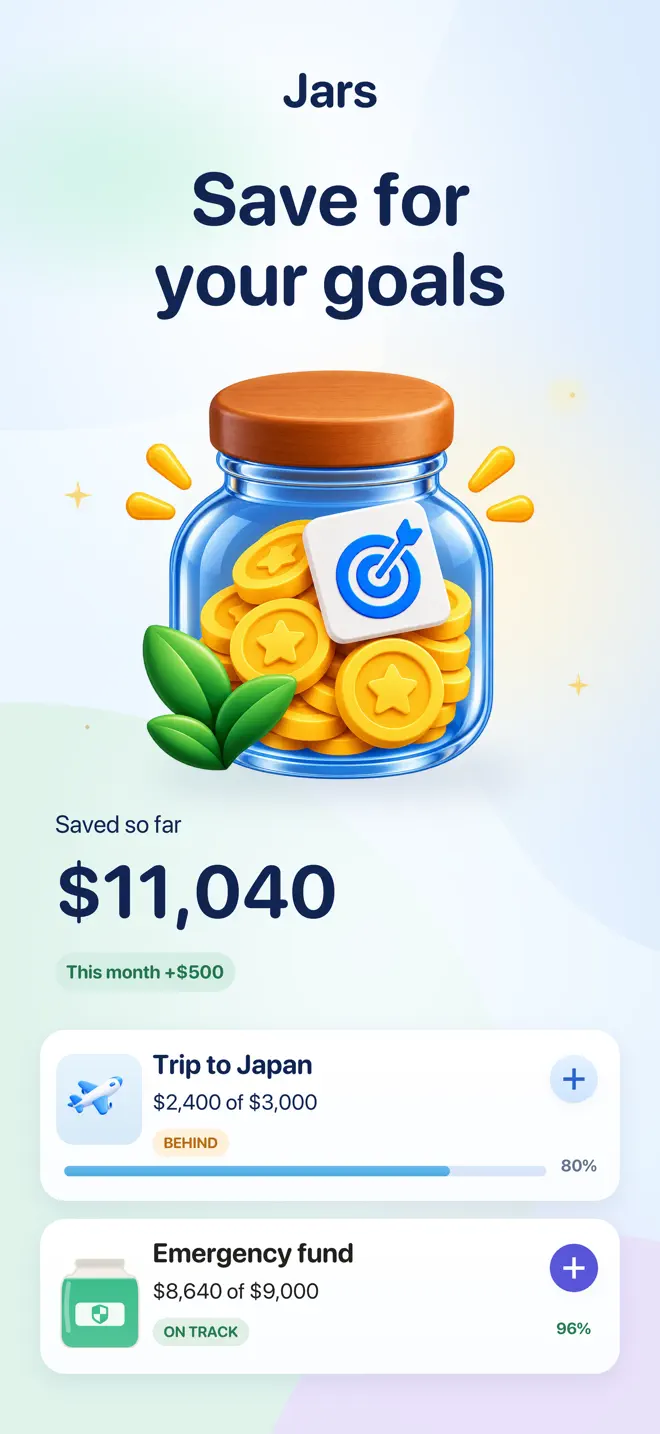
One jar per goal
Name it, pick an icon and a color, set a target and a deadline. Templates for an emergency fund, travel, taxes, a car, a gift, a home.
A pace that adds up
Jars works out how much to set aside each week or month, and tells you which month you will get there at the pace you are actually saving.
Payday reminders
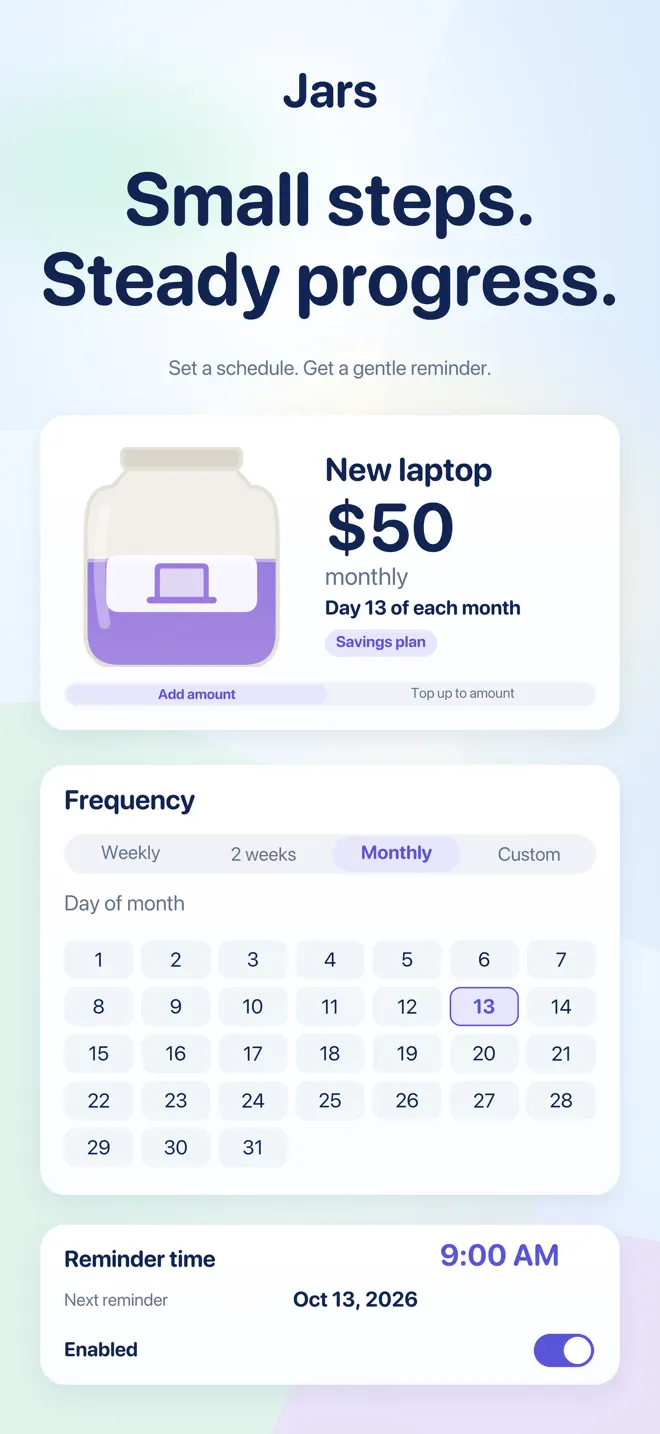
Savings plans remind you on payday. Missed a week? Catch up, snooze it or skip it — Jars never invents money you did not save.
Split a payday
Spread one deposit across several jars: evenly, by what each jar still needs, or in the order you choose.
Savings challenges
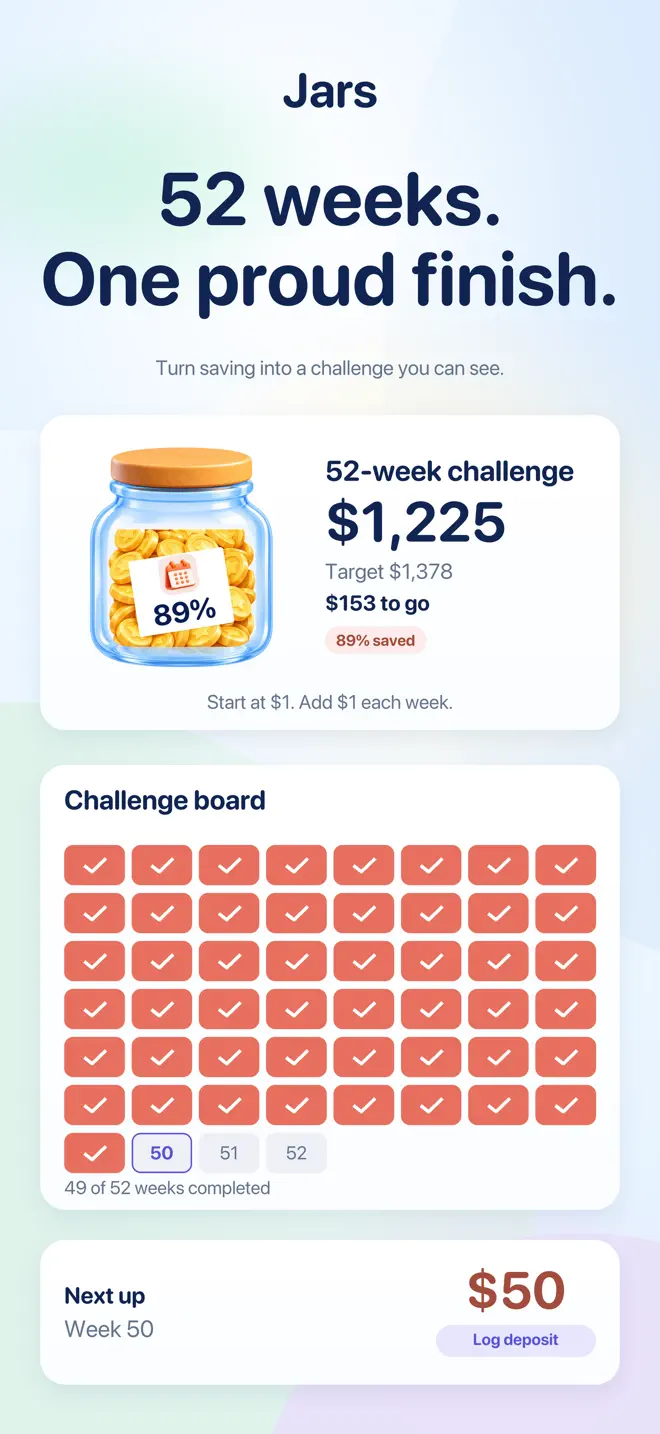
52-week, 26-week, 100 envelopes, the penny challenge, or a schedule you build yourself. Tick off weeks in any order.
Where you stand
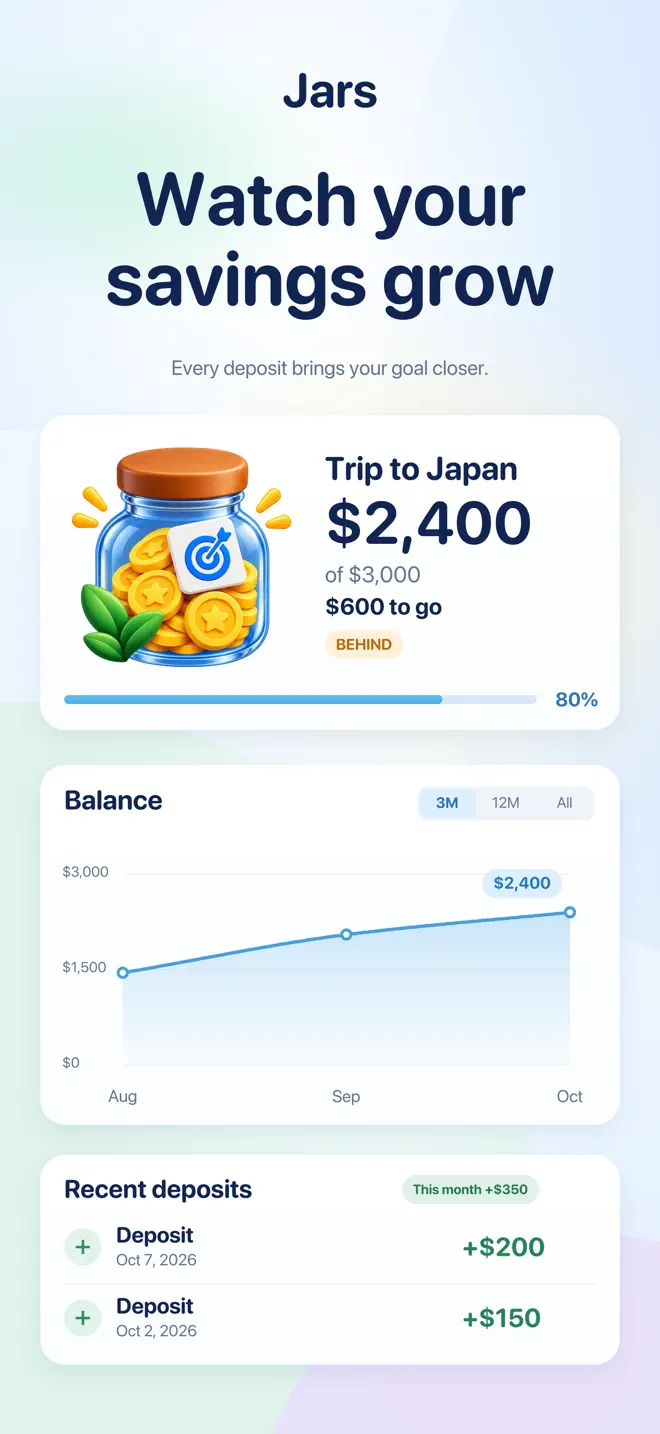
Everything saved so far, this month's deposits and withdrawals, jars on track, and how your balance grew over time.
How it works
Deposit, withdraw, move — all with a note
Add money in a few taps
Every entry keeps a date and a note you can edit later, and anything you just did can be undone.
Counted wrong?
Type the balance you actually have and Jars records the difference.
Keep jars your way
Each jar in its own currency, with a cover photo and a note of where the money really sits.
Your data
Your data, your files
- Your jars stay on your phone. They only leave when you send them somewhere: a backup or a file you export.
- No account, no sign-in, no ads, and it all works offline.
- Automatic backups to your own iCloud Drive on iPhone; export everything as a ZIP, or transactions as CSV.
- Lock Jars behind Face ID or your passcode, and hide every amount until you tap it.
- It never touches your bank. Jars keeps score of money you move yourself.
Questions
Before you download
Does Jars connect to my bank account?
No. Jars never holds or moves your money and has no bank connection. You record deposits and withdrawals yourself.
Do I need an account?
No. There is no account and nothing to sign up for.
Can I use Jars for sinking funds?
Yes. Set a target and a date for each jar; Jars works out how much to set aside each week or month and shows which month you will reach it.
Which savings challenges are included?
52-week, 26-week, 100 envelopes, the penny challenge, and a custom schedule you build yourself.
Can I keep jars in different currencies?
Yes. Each jar can have its own currency.
Which devices and languages does Jars support?
iPhone and iPad (iOS 17 or later) and Android. The app is available in 16 languages: English, Chinese (Simplified and Traditional), Dutch, French, German, Italian, Japanese, Korean, Polish, Portuguese, Russian, Spanish, Swedish, Turkish, Vietnamese.
- Made for
- People saving toward goals: sinking funds, emergency fund, travel, taxes, savings challenges
- Platforms
- iPhone and iPad (iOS 17 or later) · Android
- Languages
- 16, including English, Chinese (Simplified and Traditional), Dutch, French, German, Italian
- Category
- Finance
- Developer
- Ho Van Dai
- Page updated